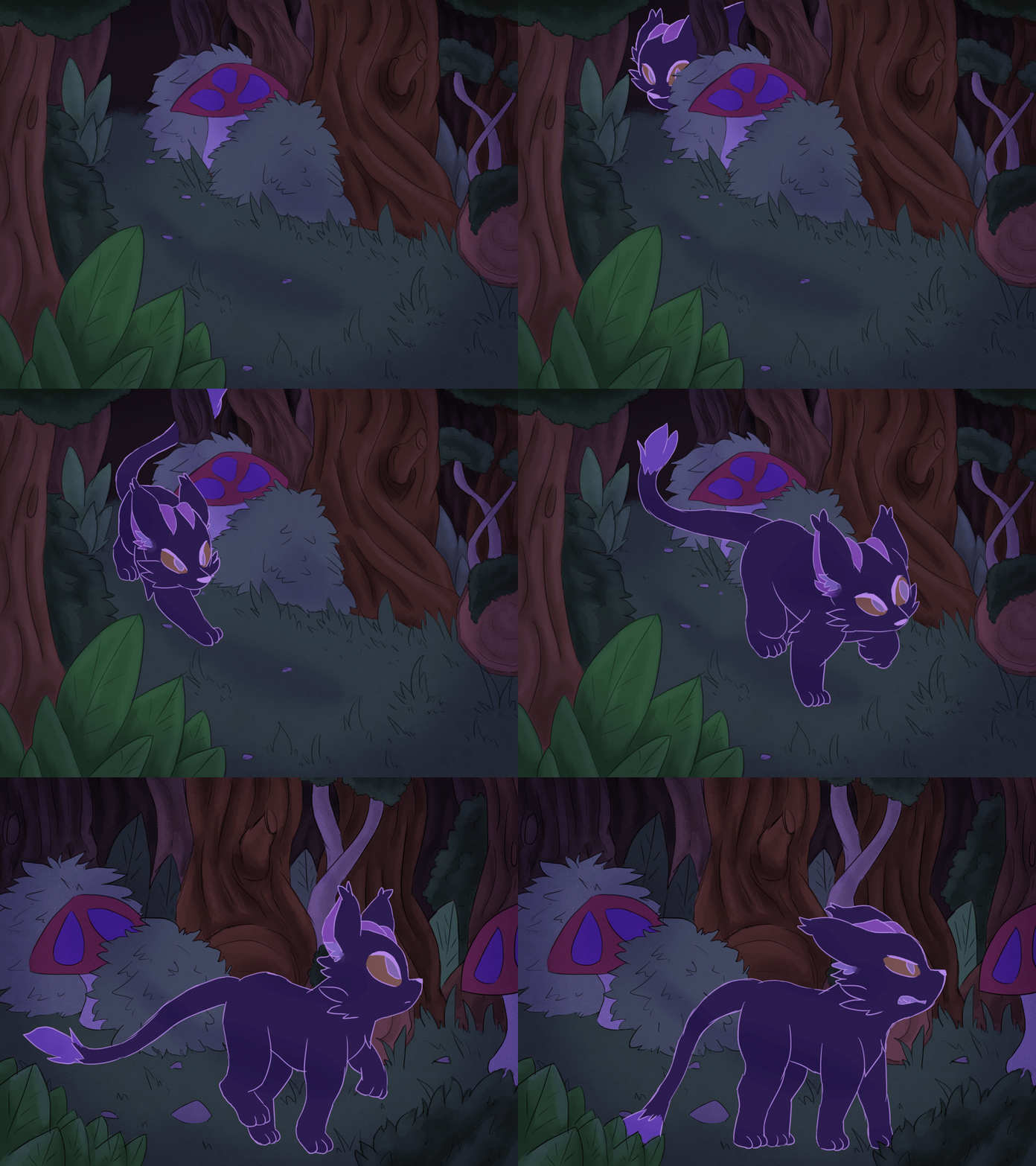
Wednesday, 23 January 2019
Tuesday, 8 January 2019
Animation Project: Curiosity
Characters
James Lynn Anderson- 5 years old
A optimistic young boy who can see the good in everyone, and oftern gets into trouble trying to prove it.
Zoterra- 976 years old
A unknown creature who is extemly serious and tries her best to keep Lynn out of trouble.
Project Question-
I'm curious about why people always judge a book by its cover.
Summary-
In the world of Aria an unlikey meeting of two completly different people, Lynn a younge boy who is full of life and innocence and Zoterra an unknown creature who is fully of darkness and hatred. Can they put aside their differences to see the beauty in each other and the world.
Why Create this Project-
With is project I hope to change people views on people who are different, just because someone is different doesent mean they are bad you just need to take the time to get to know them. I plan to achive this with characters of Lynn and Zoterra as they are completly different in peronality and background, might help to change peoples mind.
I hope to achive a short animation showing the meeting of the two characters and show how curious they are about each other, and maybe deveplop the story into a Graphic novol later. I have been developing this story since I was Eleven so it very inmportant to me.
Concept art
Wednesday, 12 December 2018
DragonFrame and Premiere Pro
Make a stop frame animation using a video.
First we film some videos in the green screen room so we could use them in Premiere, the idea was to have the look of someone floating in mid air and the way we filmed this was by some one jumping in the video, where we then put that video in Premiere Pro to edit it. First we had to use the razor tool to cut and separate the frame only containing the point the the man was in the air and the copy each section into a new sequence.
Next go to the media browser and find the sequence of all the separated frame that I just made and place it in to a new sequence. Then separate the audio and the image by one space, first go into effects, video effects, keying and ultra key and place it on the combined frames. Then going into effects control I use the the eye drop tool on the background to make it transparent. Next I go into new, colour matte and make a new colour matte of green, once created place it in the sequence in-between the audio and the frame in the gap I made earlier.
Later I had to make a mask around each of the frames by using the pen tool and drawing around each frame, once that was done I should have been able to place a background into Premiere pro and have son that only the person is showing on the background. However this is where the problems occurred, every time that I saved and came back all the masks would change and not fit the person anymore and it did this so many times I was not able to finish the project.
Screen shots:
Adobe Animate: Stick Man
Animate stickman
The task was build a stick man inside of Adobe Animate and have it walk across the screen, we learnt this by following a tutorial form youtube:
The specific tool I had to use was the bone tool to make each of the stickman limbs move, first I made a circle using the oval tool and the line tool and set it to 11 to make the out line of the circle thicker so it's filled in. Next with the line tool draw a line from the bottom of the circle and down, then draw an identical line away from the circle and other line. Use the selection tool of half of the line and convert it to a symbol, then highlight the very bottom of the line and convert to symbol. Next highlight the whole leg and right click to distribute in to layers. Use the bone tool and drag down to half of the line, then use the bone tool again on the other half of the line and go to join restoration and click constrain and change the min to -90 and the max to 75 and this is for the first joint. The section join do the same but change the min to -6 and the max to 133, after duplicate the whole line three time to create all the limbs.
Screen shots:
Did not complete as the program started to break and did not save.
Tuesday, 4 December 2018
Animation:
![]() |
| Character design of Postwoman Carol |
The task is to create an animation using the prompt: Conflict. Inspired by the people who made Tom and Jerry the animation is going to be about a Post man and a Dog as they like a cat and a mouse are presumed as enemies. I will be working in collaboration with Maria, a fellow college student who will be charged with animating the dog, and there is a link to her blog here:
http://mariasblogpage.blogspot.com
Concepts and concept art
![]() |
| Poster of Carol and a dog |
Carol Inkrose is the hard working rookie postwoman, she is 22 years old and she has Cynophobia (a fear of dogs). Carol has bright red curly hair that is in direct contrast with her cold blue uniform.
Line art and colour schemes
![]() |
| Colour sheet |
For the line art I test too options, a normal black line art and a dark brown line art and I feel that the black works best as it stands out more and make the character look more cartoony.
The colour scheme for Carol was pretty simple as I wanted to give her bright red hair but changed it too a slighter pink version, I wanted to give a very warm coloured hair as most Postman uniforms are a cold blue and the warm and the cold colours contrast very well. Also I drew a casual look for her where she wears very casual clothes and earthy colour, a warm green for the t-shirt and a light stone grey for the trousers. Finally her eyes are a light blue and her pupils are a even lighter blue instead of a black pupil as it looks less harsh.
![]() |
| Spud the dog |
![]() |
| Background frame |
Finished Animated scenes (Not in order)
A scene of the dog animated by my friend Maria who I am collaborating with to make the animation
This scene is animated by me and is the second part of the animation where Carol is climbing over the fence.
Subscribe to:
Posts (Atom)